Flat, evenly lit clips are the most common problem in AI video, and lighting prompts are the fix. In AI video you do not rig a lamp, you describe one. This guide gives you AI video lighting prompts you can copy: how to name key, fill and rim light, how direction and contrast change mood, and ready-made lighting recipes for noir, warm interiors, cold thrillers and golden hour.
LightingCinematicColor
Lighting for AI Video: Prompts for Mood and Contrast
October 5, 2026Updated November 11, 2026
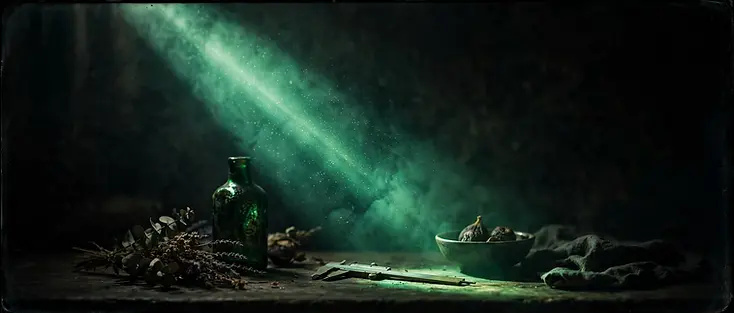
Light is the whole job
In AI video you do not rig a lamp, you describe one. That makes lighting a writing skill: the words you choose become the contrast and mood on screen. Most flat AI output comes from describing the subject and forgetting the light entirely.
Three lights, in words
Every cinematic setup is some version of a key, a fill, and a rim. Name them in the prompt and the model does the rest.
- Key is the main light, and the one that sets direction and mood.
- Fill softens the key shadows; skip it for high contrast.
- Rim or backlight separates subject from background; the cinematic edge.
Direction beats intensity
A weak light from the side is more cinematic than a strong light from the front. Side and back lighting reveal form; front lighting flattens it. Default AI output is front-lit, so push the key to the side.
Lighting recipes by mood
| Mood | Key | Fill | Rim |
|---|---|---|---|
| Noir / tense | Hard, low, side | None | None |
| Warm intimate | Soft warm practical | Low warm | Subtle |
| Cold thriller | Cool top | None | Strong cool |
| Golden reverie | Low sun, back | Bounce | Strong warm |
15 AI video lighting prompts to copy
Fifteen prompts you can paste as they are, or use as the lighting line inside a longer prompt. Each one names a direction, a quality (hard or soft) and a contrast level. For starting points by category, see AI video prompt templates by genre.
Noir and thriller
- Hard low side light from the right, no fill, deep blacks and clipped highlights, high contrast, noir mood.
- Single hard key from above, barely any fill, warm rim light on the shoulders, medium contrast, tense thriller look.
- Hard backlight through a doorway, thick haze, no fill, subject almost silhouetted, very high contrast.
For seasonal spooky scenes, see Halloween AI video prompts.
Warm interior
- Soft warm lamp light from the left, gentle room fill, subtle rim on the back wall, low contrast, cozy and inviting.
- Soft warm window light from the side, soft shadows, practical lamp glowing in the background, medium contrast, calm evening interior.
- Warm overhead light with a soft key from the left, low fill, gentle contrast, relaxed family dinner mood.
For a dining room or restaurant scene, see restaurant promo AI video prompts.
Golden hour
- Low golden sun from behind the subject, warm bounce fill from below, strong warm rim, low contrast, dreamy golden hour.
- Backlit golden hour with soft haze, warm lens flare, lifted blacks, low contrast, romantic mood.
- Hard warm side light at sunset, deep shadows, bright highlights, high contrast, dramatic golden hour.
Neon night
- Cool neon key from the left, magenta rim from behind, wet reflections on the ground, medium contrast, moody night street.
- Soft blue neon fill from a shop window, hard rim light from the right, dark background, high contrast, neon cyberpunk night.
Soft daylight
- Soft window light from the left, large soft fill, no rim, lifted blacks, low contrast, airy daylight interior.
- Diffused overcast daylight, soft even key from above, gentle shadows, low contrast, calm natural look.
Product studio
- Soft directional studio key from the upper left with a gentle rim on the right edge, white bounce fill, soft shadows, low contrast, clean product look.
- Hard key light from the side with a narrow rim, dark seamless background, medium-high contrast, premium product shot.
Production note
Create this in Avocadio
Turn these techniques into a finished short film. Avocadio turns prompts into cinematic AI video — no editing suite required.
Try it in Avocadio Text to VideoContrast is a number you can name
High contrast means deep blacks, bright highlights, almost no middle. Low contrast means lifted blacks, muted highlights, flat. Say which you want. Deep blacks, clipped highlights, no fill gives you noir; lifted blacks, soft highlights gives you a dreamy, faded look.
Lighting words that work (and ones that do not)
Specific light language is what changes the render.
Works:
- hard side light
- soft window light
- rim light
- backlit haze
- low-key
- high-key
- practical lights
- golden hour
Does not work:
- perfect lighting
- best lighting
- 8k lighting
Lighting for product videos and UGC-style ads
For a premium product clip, describe soft directional studio light from the upper side with a gentle rim, plus a wide bounce fill. That keeps the product clean and readable while the rim gives it an edge. Prompts built this way are the backbone of AI product videos.
For UGC-style ads, go the other way: natural window light, soft shadows and a slightly imperfect feel, so the clip reads like someone filmed it on a phone. That is the lighting behind AI UGC video ads.
Why does my AI video still look flat?
- Front-lit default: the model lights from the camera unless told otherwise. Push the key to the side.
- No direction named: "dramatic lighting" says nothing about where the light comes from.
- Conflicting lights: "soft window light" and "hard studio light" in the same prompt cancel each other out.
- Too many adjectives: three mood words crowd out the one lighting instruction that matters.
- No contrast level stated: without "high contrast" or "lifted blacks", the model settles in the middle.
Put it in the prompt
Light direction, light quality, and contrast ratio, name all three and your clips stop looking like AI renders and start looking like they were shot. Avocadio bakes these lighting choices into every clip in a project, so the look holds across the whole film. If you are new to prompting, start with how to turn text into video with AI.
Frequently asked questions
How do I add lighting to an AI video prompt?
Name three things: the direction of the key light, whether it is hard or soft, and the contrast level you want. For example: soft window light from the left, gentle fill, low contrast.
What are key, fill and rim light?
The key is the main light and sets the direction and mood. The fill softens the key's shadows, and the rim (or backlight) separates the subject from the background.
How do I make AI video look cinematic?
Push the key light to the side or behind the subject, skip or reduce the fill, and state a contrast level. Deep blacks and a rim light do more for a cinematic look than any quality buzzword.
What is the best lighting for AI product videos?
Soft directional studio light from the upper side with a gentle rim, plus a bounce fill so the product stays clean and readable.
Why is my AI video lighting inconsistent between clips?
Usually because each prompt describes the light differently. Reuse the same lighting phrase in every prompt of a project so the look holds across the whole sequence.
Production note
Make it in Avocadio
Open the template this guide is built on, paste a prompt and generate your first clip.
Try it in Avocadio Text to VideoRelated articles

GuidesAI PromptsCamera Movement
AI Video Camera Movement Prompts: 12 Camera Moves That Make Clips Look Cinematic
October 25, 2026
Two AI clips can show the exact same scene and feel completely different. One looks like a still photo that wobbles. The other feels like a…


AI Video TrendsFlamingo FloatieInfinity Pool AI Video
Viral Flamingo Floatie AI Video: Infinity Pool Edge Prompts (Nov 2026)
November 10, 2026
Scroll TikTok in November 2026 and you will hit the same rooftop beat on loop: someone lounges on a giant pink flamingo floatie in an…


GuidesMulti-Shot AI VideoScene-by-Scene Prompts
Multi-Shot AI Video Prompts: 12 Scene-by-Scene Ideas That Tell a Story
November 10, 2026
One long prompt that asks for cuts and a full story in a single clip often collapses. Creators who get clean multi-shot AI videos write one…