Aspect RatioSocial VideoAI VideoTutorial

Social Video Aspect Ratios for AI: 9:16, 1:1, 16:9 Without Cropping Surprises

October 6, 2026Updated October 24, 2026
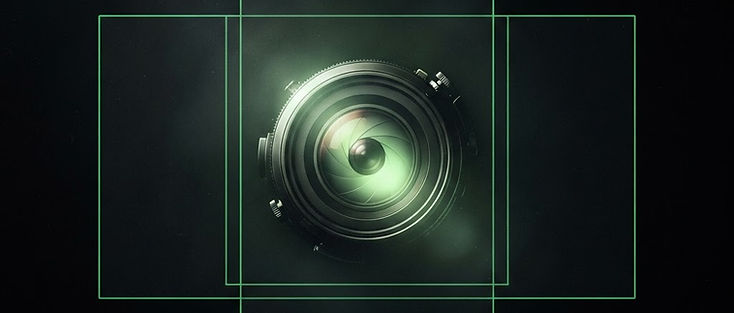
Centered subject shown inside overlapping social aspect-ratio frames

AI generators invent pixels; social platforms crop without mercy. If you ignore framing, a beautiful landscape clip becomes a faceless vertical blob on TikTok, or a product logo gets sliced by Stories UI. This guide explains how to plan social video aspect ratios for AI before you spend credits, so subjects survive 9:16, 1:1, and 16:9 delivers.

Avocadio generates short cinematic clips with Text to Video and Image to Video. You still finish platform typography and final exports in an editor. Framing decisions belong in the prompt and the still you upload, not in a last-minute crop panic.

Create this in Avocadio — Generate a vertical-safe cinematic beat with a centered subject, then adapt exports in your editor. Try Avocadio

The three ratios that actually matter

9:16 vertical — TikTok, Instagram Reels, YouTube Shorts, Stories. This is the default for discovery. Keep the hero in the middle third. Reserve the lower fifth for captions you will add later. Avoid wide establishing shots that push the subject to a tiny center speck.

1:1 square — some feed placements, carousels, and profile grids. Square forgives a bit more side information than vertical, but it still punishes ultra-wide landscapes. Prefer medium shots and product-centered frames.

16:9 landscape — YouTube long-form, websites, pitch decks, LinkedIn in many cases. Landscape loves environmental storytelling. If you might later crop to vertical, still protect a center “safe column” so one master can flex.

When a generator preview looks landscape-first, compose as if a vertical phone will punch into the middle. That habit alone saves more credits than any negative prompt. For vertical craft beyond ratios, see cinematic AI shorts for Reels and TikTok.

Prompt language that protects framing

Add explicit cues instead of hoping the model guesses the platform:

  • Vertical: “vertical composition, subject centered, mobile framing, headroom for captions”
  • Product: “product centered in frame, medium shot, clean background”
  • People: “waist-up framing, face in upper third, eyes readable on a phone”
  • Interiors (listing teasers): “room centered, doorway or window as anchor, avoid extreme wide”

Example Text to Video line: “Barista pouring latte art, vertical composition, subject centered, slow push-in, warm café light, headroom for captions, cinematic short.”

Example that fails: “Epic wide aerial of a coastal city at golden hour, ultra wide anamorphic, crowded skyline detail.” That line looks great in 16:9 and dies in 9:16.

Image to Video and crop risk

When you animate a still, the still’s crop is your destiny. A horizontal MLS living-room photo will not magically become a good Stories master. Before upload:

  1. Crop the still to a vertical-safe master in any photo tool (or keep a center-weighted square).
  2. Ask for restrained motion: “slow push-in, subtle parallax, hold product edges stable.”
  3. Preview muted on a phone-sized window.

Real estate teams hit this constantly. Product marketers should start from packshots already framed for ads; the image-to-video guide covers motion briefs that protect edges.

Safe margins checklist (print this)

  • Faces and logos: stay inside an imaginary center oval; corners are UI and gesture territory.
  • Lower third: leave breathing room even if the AI clip itself has no text.
  • Top edge: Stories and some Reels UIs eat status-bar space — do not pin critical detail to the top tip.
  • Fast lateral moves: risk clipping subject exits; prefer push-ins and soft orbits for vertical.
  • Text inside the generate: skip it. Models warp letterforms. Add type in the editor on a known-safe zone.
Production note

Create this in Avocadio

Turn these techniques into a finished short film. Avocadio turns prompts into cinematic AI video — no editing suite required.

Try Avocadio

One master, many delivers

A credit-smart pipeline:

  1. Decide the strictest placement first (usually 9:16).
  2. Generate or animate for that framing.
  3. In your editor, derive 1:1 and 16:9 with slight reframes or letterboxing — only regenerate when the subject truly cannot survive the crop.
  4. Keep the winning prompt and still path in a note tied to your Avocadio history entry.

This is cheaper than three separate generate sessions with conflicting compositions. When you need hook-first vertical attention, pair ratio planning with YouTube Shorts hooks with AI video.

Platform notes without the mythology

TikTok and Reels reward clarity in the first second more than perfect pixel ratios. A centered subject on 9:16 outperforms a fancy letterboxed 16:9 uploaded “as is.” YouTube Shorts behaves similarly; many creators still want a 16:9 thumbnail cousin later — so choose a hero that reads in both a vertical clip and a landscape still grab.

LinkedIn and some website embeds still prefer 16:9. If your week’s content calendar mixes LinkedIn thought-leadership with TikTok demos, shoot (generate) the vertical demo first, then create a separate landscape atmosphere clip rather than forcing one file into both.

Step-by-step: first vertical-safe generate today

  1. Write one sentence: subject + action.
  2. Add “vertical composition, subject centered.”
  3. Add one camera verb and one light cue.
  4. Generate in Text to Video (or upload a center-cropped still for Image to Video).
  5. Watch muted on your phone.
  6. If the subject feels small, regenerate with “medium shot” or “close-up” instead of rewriting the whole mood.
  7. Save the keeper to history; export and caption in your editor.

Create this in Avocadio — Run a centered vertical test shot, compare two framing variants in history, and keep the clearer phone preview. Try Avocadio

Common aspect-ratio mistakes

  1. Writing a landscape cinematic prompt, then wondering why vertical crops chop the subject.
  2. Putting prices and slogans into the AI prompt.
  3. Generating a gorgeous wide interior for a listing, then forcing it into Stories without checking doorway edges.
  4. Ignoring headroom above heads and chinroom above captions.
  5. Regenerating five times with the same wide framing instead of changing shot scale once.

FAQ

Should every prompt mention aspect ratio? Mention framing whenever the deliverable is vertical or square. Landscape-only web heroes can omit it if you truly will not crop.

Can AI guarantee perfect 9:16 pixels? Treat framing language as guidance. Always verify on a phone preview and finish exports in an editor when platforms are picky.

What about 4:5? 4:5 appears in some feed contexts. Compose center-weighted like 9:16; you will usually crop from a vertical master more easily than from 16:9.

How do credits factor in? Plan framing offline. One well-framed generate beats three misframed regenerations.

Bottom line

Pick the strictest crop first, center the subject, and keep text out of the generate. When you want a fast vertical-safe cinematic beat, open Avocadio and finish platform type in your editor.

Getting the shape right is also the first decision behind the right format for UGC video ads and behind product video formats on a product page.

Related: Cinematic shorts for Reels and TikTok · Image to video · YouTube Shorts hooks

Production note

Create this in Avocadio

Turn these techniques into a finished short film. Avocadio turns prompts into cinematic AI video — no editing suite required.

Try Avocadio

Related articles