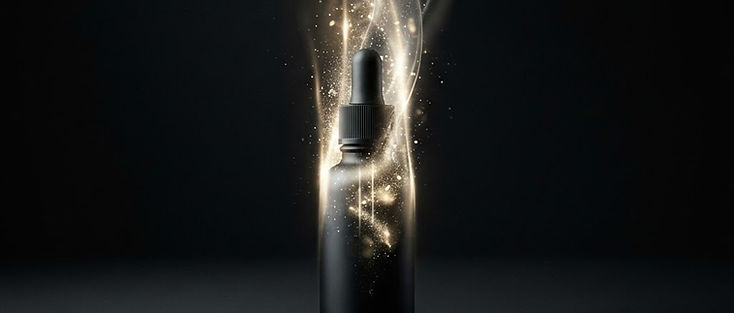
Packshots sell online, but feeds reward motion. Turning a still into a short ad-ready clip is one of the highest-intent uses of Image to Video—if you protect the SKU. This AI product ad videos from photos playbook covers still prep, motion briefs, UGC-style versus studio-style honesty, and a credit-smart test loop you can run before spending media budget.
Avocadio’s Image to Video path is the center of this workflow; Text to Video helps for brand atmosphere B-roll without the logo. Starter prompts, credits, and history keep iteration organized.
Create this in Avocadio — Upload a clean packshot, add a restrained motion brief, and generate a short product clip you can caption in your ads editor. Try Avocadio
Why packshots stall in the feed
A sharp still on white is perfect for a PDP gallery and weak as a silent scroll-stopper. Motion adds life: a slow orbit, a soft push-in, condensation forming, a hand entering frame. The risk is uncontrolled motion that melts logos, warps labels, or invents ingredients. Your job is to ask for enough movement to earn the pause—and no more.
Deep still-animation basics: image to video AI animate photos. Vertical delivery habits: cinematic AI shorts for Reels and TikTok.
Still preparation checklist
Before you upload:
- Use the highest-resolution honest packshot you have (not a screenshot of a screenshot).
- Crop toward center if the ad will be 9:16; see social video aspect ratios for AI.
- Remove heavy Instagram filters that crush material detail.
- Prefer seamless or simple backgrounds; busy kitchens cause the model to "help" by inventing clutter.
- If legal label text must stay readable in the ad, plan to keep the clip short and motion gentle—or overlay compliant text in the ads manager instead of trusting AI letterforms.
Motion briefs that protect the SKU
Strong brief: "Slow push-in on the product, subtle parallax, hold logo edges stable, soft studio shimmer, premium product cinematic, vertical composition, subject centered."
UGC-leaning brief: "Gentle handheld feel, soft window light, product stays sharp in center, casual tabletop vibe, restrained motion."
Risky brief: "Product explodes into particles, camera whips 360, neon glitch, flying ingredients, bold text offer."
If edges smear, reduce motion language first. Targeted avoids like "avoid melting logo" can help after you see the failure—see AI video negative prompts and consistency—but a calmer brief usually wins.
Studio-style versus UGC-style honesty
Studio-style sells polish: seamless, controlled key, slow orbit. Good for brand accounts and prospecting ads that mirror PDP photography.
UGC-style sells familiarity: tabletop, imperfect hand entry, natural window light. Good for social proof placements. Do not fake a creator’s face or bedroom you do not have rights to imply. Animate your product; film or license real creator footage separately if you need a person talking.
Never claim a generated clip is "real customer footage." Disclose AI-assisted visuals when your platform or policy requires it.
Credit-smart testing loop
- Pick one SKU and one still.
- Generate two motion variants only (push-in vs soft orbit).
- Mute-watch on a phone; reject any logo melt immediately.
- Save the winner to history with SKU and date.
- Build three ad copy variants in your ads tool against that one visual—do not regenerate art for every headline test.
- Only after a visual wins a small spend test should you animate the next SKU.