MusicVisualizerAI PromptsAbstract

AI Music Visualizer Video Prompts: Abstract Motion Without Fake Lyrics On Screen

October 14, 2026
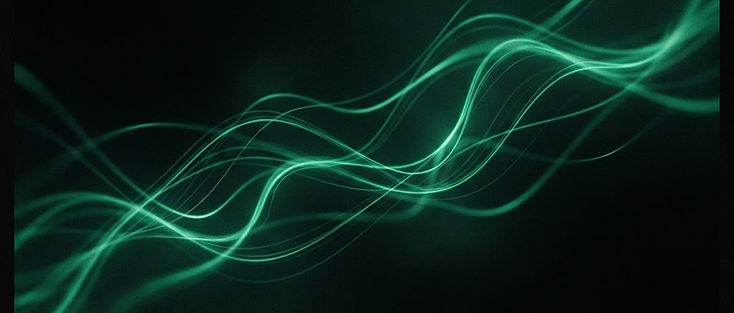
Abstract emerald light ribbons suggesting an AI music visualizer loop

Musicians and bedroom producers want motion behind a track without hiring a motion-design team. AI music visualizer video prompts can deliver abstract loops, light ribbons, and mood worlds—as long as you stay honest about what generators do well (visual atmosphere) and what they do not (perfect lyric typography or guaranteed beat sync inside the generate).

Avocadio creates short cinematic clips with Text to Video and Image to Video. You align cuts to the beat in your editor or DAW. Starter prompts can speed up mood direction; history stores the takes worth looping.

Create this in Avocadio — Generate an abstract cinematic loop brief, preview it muted, then time it to your track in an editor. Try Avocadio

What a visualizer clip should do

A useful visualizer:

  • Supports the track’s emotion without stealing focus from audio
  • Survives looping or crossfades
  • Avoids readable fake lyrics and fake artist branding you do not own
  • Leaves room for your real title card in the editor

It should not pretend to be an official music video for a famous artist, and it should not claim Avocadio analyzes your MP3. Keep audio timing on your side of the toolchain—same spirit as finishing Shorts in an editor after generating beats for YouTube Shorts hooks.

Prompt patterns that loop well

Favor continuous phenomena over narrative endings:

  • "Abstract emerald light ribbons over black void, slow drift, soft volumetric glow, seamless motion energy, cinematic abstract visualizer."
  • "Soft particle dust in a dark room, gentle camera orbit, cool rim light, hypnotic ambient visualizer, cinematic."
  • "Chrome fragments rotating in void, measured orbit, hard specular highlights, techno visualizer mood, cinematic."

Avoid: "door closes," "title resolves," "singer appears," "lyrics glow on screen." Endings fight loops; letterforms warp.

For camera and light vocabulary that stays cinematic, borrow from cinematic AI video prompts and lighting for AI video—then strip characters and plot.

Genre mood cheatsheet

  • Ambient / chill: soft emerald and violet haze, slow dolly, low contrast fog, no hard cuts in-camera.
  • Techno / club: harder rim light, metallic shards, slightly faster but still single-move orbit; keep it abstract.
  • Acoustic / folk: warm practicals, dust motes, gentle drift, wood and cloth textures suggested—not a full cabin story unless you want narrative.
  • Cinematic score: deep shadows, one volumetric shaft, anamorphic-flare language used sparingly, slow push through haze.
  • Lo-fi study: rainy window bokeh, soft desk lamp, very slow parallax; cozy, not chaotic.

Pick one palette and stick to it across a three-clip pack so your editor crossfades feel intentional.

Workflow with credits and history

  1. Write three related prompts sharing palette words but different motion verbs (drift, orbit, push-in).
  2. Generate each once.
  3. Mute-preview; discard any clip that invents faces or text you did not ask for.
  4. Save keepers to history with track name notes.
  5. In the editor, cut or crossfade on kicks, snare hits, or phrase changes you can hear.
  6. Add your real track title and artist name as editor text layers you control.

If you start from a cover-art still, Image to Video with "slow push-in, subtle parallax, hold artwork edges stable" can yield a calmer loop than pure text—see image to video.


Production note

Create this in Avocadio

Turn these techniques into a finished short film. Avocadio turns prompts into cinematic AI video — no editing suite required.

Try Avocadio

Near-loops versus perfect loops

Most short AI clips are near-loops. Plan editor crossfades: duplicate the clip, overlap tails, or hard-cut on percussion. Demanding "perfect seamless loop" in the prompt sometimes helps, sometimes creates morph artifacts—judge by eye. Assembling multiple abstract beats is closer to edit AI clips into a short film than to a single magical generate.

Rights and representation

  • Do not prompt "official video in the style of [living celebrity]" as a shortcut to their likeness.
  • Do not render label logos you do not own.
  • Abstract light and texture are safer than implied endorsements.
  • If you animate cover art, use art you have rights to.

Vertical releases and visualizers

Many artists post vertical snippets on Reels, TikTok, and Shorts. Compose center-weighted abstracts; ribbons and particles read better centered than in wide landscape master shots. Ratio planning: social video aspect ratios for AI. For release-day Shorts, pair a visualizer loop with a strong first-second crop of the most active motion.

Step-by-step: first visualizer tonight

  1. Choose palette words (two colors max).
  2. Choose one motion verb.
  3. Paste a prompt from the patterns section with your palette swapped in.
  4. Generate in Text to Video.
  5. If text or faces appear, regenerate with "abstract only, no people, no letters."
  6. Drop the clip under your track; cut on four bar phrases.
  7. Export a 15–30 second vertical snippet for social and a longer landscape take for YouTube if needed.

Create this in Avocadio — Build two palette-matched abstract clips, keep both in history, and crossfade them on the beat in your editor. Try Avocadio

Common mistakes

  • Asking the model to sync to an uploaded song inside generation
  • Filling the frame with warped lyric attempts
  • Changing palette every credit so nothing matches in the edit
  • Using narrative horror or romance templates unchanged—they introduce plots you then have to cut around
  • Ignoring mute checks (some "music" clips are actually noisy visually)

FAQ

Does Avocadio beat-sync to my MP3?
No. Generate visuals here; align timing in your editor or DAW.

Can it invent lyric videos with perfect text?
Treat readable lyrics as an editor job. Models often warp letterforms.

Still versus prompt for cover art?
If the artwork must stay recognizable, Image to Video from the cover is usually safer than redescribing it in text.

How long should each generate be?
Short cinematic beats are enough; loop and stack them rather than demanding one long perfect take.

Bottom line

Visualizer work is palette, motion, and honest tooling: AI for atmosphere, editor for beat and typography. Start an abstract test in Avocadio and keep your track’s timing under your control.

Related: Cinematic AI video prompts · Lighting guide · Edit AI clips

Production note

Create this in Avocadio

Turn these techniques into a finished short film. Avocadio turns prompts into cinematic AI video — no editing suite required.

Try Avocadio

Related articles