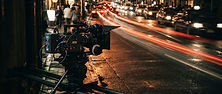
You've seen it on X, TikTok and Reels: a glossy black, living goo crawls across a garage floor, grabs a car badge, explodes, and builds a full car piece by piece until the headlights switch on. Under most of those posts the caption says "comment VENOM and I'll DM you the prompt."
No DMs needed. This page gives you the full prompts for free, explains how the effect works, and shows you how to make it with a photo of your own car.
Create this in Avocadio — Upload a photo of your car, paste the prompt below into Image to Video, and get your own Venom-style car reveal. Try Avocadio
What is the Venom car AI video trend?
The Venom car trend is a short (about 10-15 second) vertical AI video in which a glossy black, symbiote-like liquid assembles a car in front of the camera. The usual beats are:
- The crawl: black goo moves across a reflective garage floor or a wet night street.
- The grab: it reaches the car's badge lying on the floor and wraps it.
- The burst: it collapses into a shiny black ball, then bursts outward.
- The build: chassis, suspension and wheels grow first, then body panels, roof and glass, all still covered in black goo.
- The reveal: the goo peels back from nose to tail, showing the real paint, and the headlights turn on.
It's a fan-made visual effect inspired by the "symbiote" look. It is not an official Marvel or Sony feature, and Avocadio has no affiliation with either.
Why the prompt is "hidden" on X
Creators gate the prompt behind "comment and I'll DM you" because every comment boosts the post in the algorithm. The prompt itself isn't secret. It's a well-structured shot description, and you can copy the ones below.
Prompt 1: Image to Video from your own car photo (recommended)
Use this with Avocadio's Image to Video and one clear photo of your car. Replace the part in brackets.
"Vertical 9:16, one continuous shot, photorealistic, about 10 seconds. The finished car must exactly match the car in the reference photo: [a blue BMW M4 coupe with black wheels]. Same body shape, paint color, wheels, grille and lights. Scene: a modern garage with a glossy light-grey floor, black walls and white LED strips on the ceiling. A living, jet-black, glossy symbiote-like goo crawls across the floor toward the car's badge lying on the ground. The goo wraps the badge, shrinks into a shiny black ball, then bursts outward. From the goo, the chassis, suspension and four wheels grow, then the body panels, doors, roof and glass, all covered in dripping black goo, already in the exact shape of the reference car. The goo peels back from the nose to the tail, revealing the real paint. The headlights switch on. Slow push-in, the car centered and facing the camera. Low camera, smooth continuous motion, realistic reflections and contact shadows. Avoid: a different car, wrong color or wheels, the car fading in, people, hands, text, watermarks, cuts."
Prompt 2: Text to Video (no photo needed)
Good for dream cars, or for testing the effect before you use your own photo.
"Vertical 9:16, one continuous cinematic shot, photorealistic. On a wet city street at night, neon lights reflecting in puddles, a glossy black living liquid spreads across the asphalt and stretches into long tendrils. The tendrils harden into a car frame, the wheels lock into place, and black body panels close over it, forming [a red sports coupe]. The black liquid recedes from the front to the back, revealing glossy red paint, and the headlights flare on. Low fixed camera, rain reflections, dramatic contrast lighting, smooth transformation, no cuts, no people, no text."
Prompt 3: The short version (when the model loses track)
Long prompts sometimes make the model skip steps. If that happens, try this compact version with your photo:
"Vertical 9:16, one continuous shot. Glossy black symbiote-like goo crawls toward the car emblem on a reflective garage floor, wraps it, then builds the exact car from the reference photo, chassis first, then body panels. The goo recedes and the headlights switch on. Fixed low camera, no cuts, no text, same car as the photo."
Step-by-step: how to make it in Avocadio
- Download Avocadio and open Image to Video.
- Pick your photo: the whole car in frame, a front three-quarter angle, daylight, no filters.
- Paste Prompt 1 and describe your car in the brackets (make, model, color, wheels).
- Generate one take and check the car shape, wheels and badge.
- Refine: if the car drifts, use Prompt 3, or add your car's description again at the end of the prompt.
- Post it: add the trending sound in TikTok, Reels or Shorts. For sizing, see social video aspect ratios for AI.