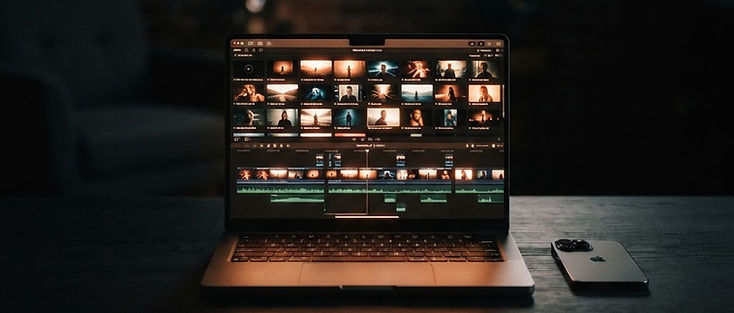
Every launch needs a video: for Product Hunt, for X, for the landing page, for the first email. Most founders don't have the time, the crew, or the budget to shoot one. The good news is that a product launch video made with AI can cover most of what you need: short cinematic shots that set the mood, show the problem, and make the product feel real.
This guide walks you through a simple plan: a 30–45 second structure, a shot list, copy-ready prompts for Avocadio's Text to Video and Image to Video, and how to put it together in the editor you already use.
Create this in Avocadio — Generate the cinematic shots for your launch video from a prompt or from your own product screenshots and photos. Try Avocadio
What AI is good at (and what it isn't) in a launch video
Be honest with yourself about the split before you start.
AI video is great for:
- Mood and atmosphere shots (a city at dawn, a busy desk, a team at work)
- Showing the problem visually (a messy inbox, a stressed person, a stack of paperwork)
- Animating your product photos and visuals with gentle motion
- Short hero moments that make the video feel produced
Use real footage or screen recordings for:
- Your actual product UI. Record your screen. Never let AI "invent" your interface.
- Founders talking to camera. Real faces build trust on launch day.
- Exact text, prices, and claims. Add these as text in your editor, not in the prompt.
The winning formula is a mix: AI shots for emotion, real captures for proof.
The 30–45 second launch video structure
Keep it short. People watch launch videos in a feed, not in a cinema.
- Hook (0–3s): one striking visual plus a bold line of text naming the problem.
- Problem (3–10s): two or three shots that show the pain.
- Product reveal (10–25s): screen recording or animated product visuals, with short text callouts for the key benefits.
- Outcome (25–35s): the "after" feeling. Calm, fast, happy, done.
- CTA (35–45s): logo, URL, and one action: "Live today on Product Hunt" or "Try it free".
For hook ideas that work in the first second, see YouTube Shorts hooks with AI video.
Step 1: Write a one-sentence story
Before any prompt, write one sentence: "[Who] struggles with [problem] until [product] lets them [outcome]."
Example: "Freelancers lose hours chasing invoices until our app sends reminders for them."
Every shot you generate should serve that sentence. If a shot doesn't, cut it.
Step 2: Build a shot list
Turn the structure into 6–8 shots. Example for the invoice app:
| # | Section | Shot | Source |
|---|---|---|---|
| 1 | Hook | Desk covered in paper invoices, slow push-in | AI (Text to Video) |
| 2 | Problem | Freelancer rubbing eyes at a laptop late at night | AI (Text to Video) |
| 3 | Problem | Phone with notifications piling up | AI (Text to Video) |
| 4 | Reveal | App dashboard | Screen recording |
| 5 | Reveal | Product hero visual with gentle motion | AI (Image to Video) |
| 6 | Outcome | Same freelancer relaxed in a sunny café | AI (Text to Video) |
| 7 | CTA | Logo + URL on a clean background | Editor |
Step 3: Generate the AI shots (copy-ready prompts)
Swap the bracketed parts for your product and audience. Keep one visual style across all shots so the video feels like one piece.
Hook: the problem in one frame
"Cinematic close-up of a cluttered desk covered in [paper invoices], warm desk lamp light, slow push-in, shallow depth of field, moody evening tone, vertical 9:16."
Problem: the frustrated user
"A [young freelancer] sits at a laptop late at night, rubbing their eyes, screen glow on their face, dark room, slow handheld feel, cinematic realism."
Problem: the overload
"Close-up of a smartphone on a desk with notifications lighting up the screen again and again, blurred background, cool blue light, static camera, cinematic."
Outcome: the after feeling
"The same [young freelancer] sits relaxed in a sunny café, smiling, closing the laptop, soft morning light, gentle camera drift, warm and optimistic tone."
Brand atmosphere / B-roll
"Wide shot of a modern city skyline at sunrise, golden light spreading over the buildings, slow aerial drift, cinematic, hopeful mood."
More prompt structures: how to turn text into video with AI and cinematic AI video prompts.
Step 4: Animate your product visuals (Image to Video)
For hardware, packaging, or a strong product mockup, start from your own image so the product stays yours. Use a clean, high-resolution image with simple background, then a calm motion brief: